
Lumi Forge: Turning Static Content Into Active Exploration
Lumi Forge
A close look at what happens when you stop delivering content at people and start building an experience layer that lets them explore it.
Think about how we usually learn things in this digital age. You find a PDF or a video course, and you sit there trying to absorb it like a sponge. But your brain is not a sponge. It is an active, curious machine that wants to poke at things and see how they work. When we sit and stare at a screen, we are fighting our own nature. The format of our information is passive, while our minds are wired for dynamic engagement.
Lumi Forge is built to stop that fight. It is an experience layer that sits on top of content a creator has already made, whether that is a book, a course, an article, or a video, and changes how that knowledge is felt and explored. The creator brings the knowledge. The platform transforms how it lands. It is the difference between reading about a bicycle and feeling your own feet on the pedals.
That shift in format changes everything downstream. Explorers stop being passive readers and start moving through a landscape of ideas at their own pace. Creators stop dumping files into a bucket and start building experiences that match the depth of their ideas. The rest of this is a tour of how that actually works.
The Content Hierarchy
Most platforms give creators a bucket. They drop in their PDFs, videos, and notes, and the bucket sits there doing nothing for anyone. Lumi Forge gives content a structure instead, one designed to make it genuinely transformative. Everything on the platform nests inside a clear hierarchy, flowing from the broadest idea down to the smallest interactive atom.
- Resources are the outermost container, the complete body of work. A book, a course, a newsletter, a training dossier, or a collection of materials.
- Explorations are the deep-dive interactive journeys through a specific section or theme inside a Resource.
- Micro-Explorations are swipeable, card-based experiences built for focused, bite-sized learning.
- Luminations are the interactive moments that turn passive reading into active engagement, and the atoms the whole platform is built from.
- Games are the replayable challenges that lock the knowledge in, generated automatically from the Luminations.
Each level has a job, and every element exists for a reason. The Resources give scope, the Explorations give depth, the Micro-Explorations give speed, the Luminations give the interactive spark, and the Games make it all replayable. Remove any layer and the structure loses something real.
Resources and Highlights
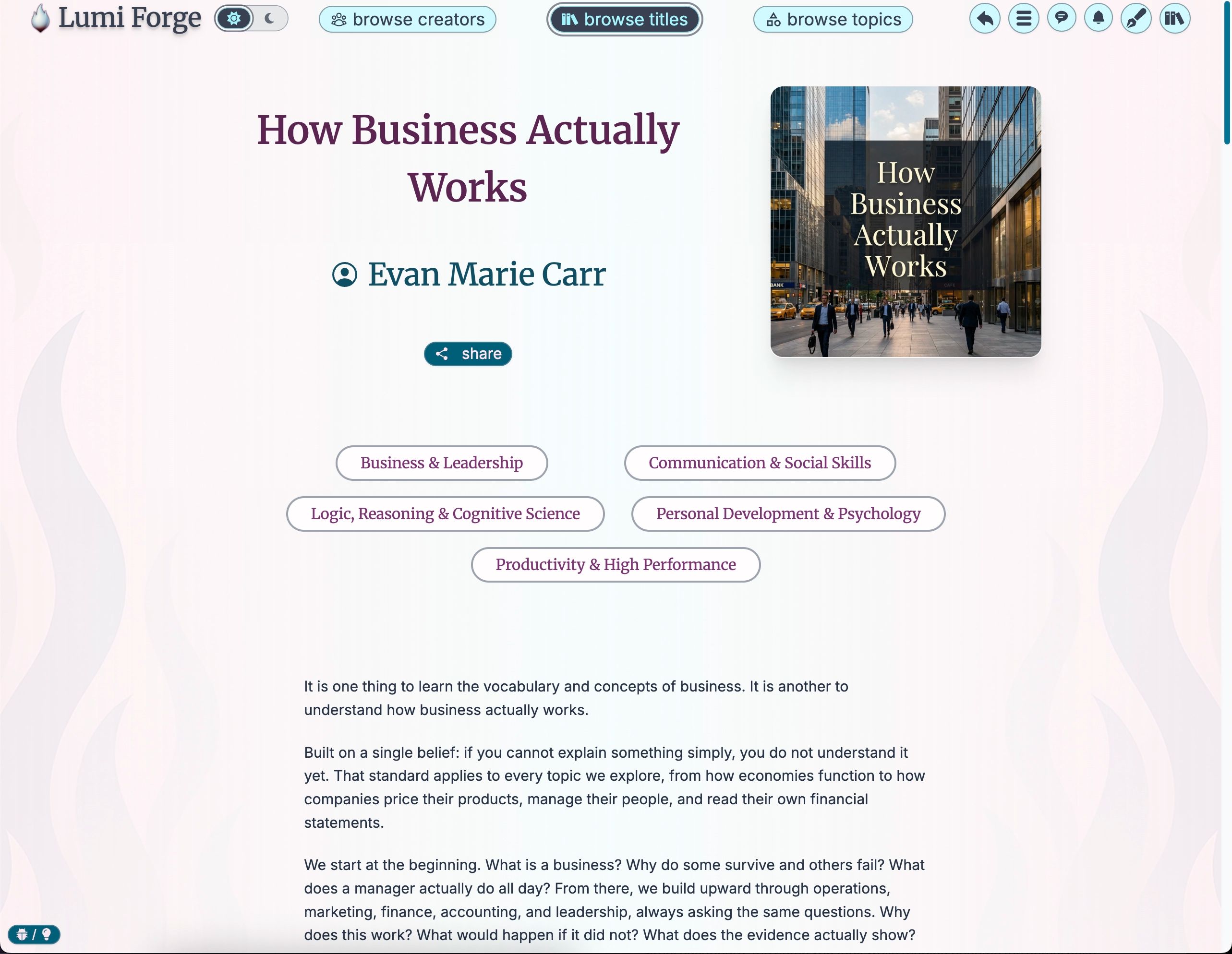
A Resource is the complete work, the shelf the whole learning experience sits on before you open it. It is content-agnostic, so it does not care whether you are building a step-by-step curriculum or a set of independent pieces. The container takes the shape of whatever you pour into it.
Inside every Resource are Highlights, bite-sized previews drawn from the material itself. They work like the back cover of a book or the abstract of a paper: key takeaways, important statistics, and the kind of insight that helps an Explorer decide whether a Resource is worth their most valuable asset, their attention. As soon as a creator uploads their work, the platform begins pulling these Highlights out automatically.
Discovery meets Explorers wherever their curiosity leads. They can browse by title when they know what they want, by creator when they resonate with a particular voice, or by topic when they are open to something they had not planned to find. Once a Resource is in their library, opening it brings up a table of contents, and their progress tracks automatically from there.
Explorations: The Deep Dive
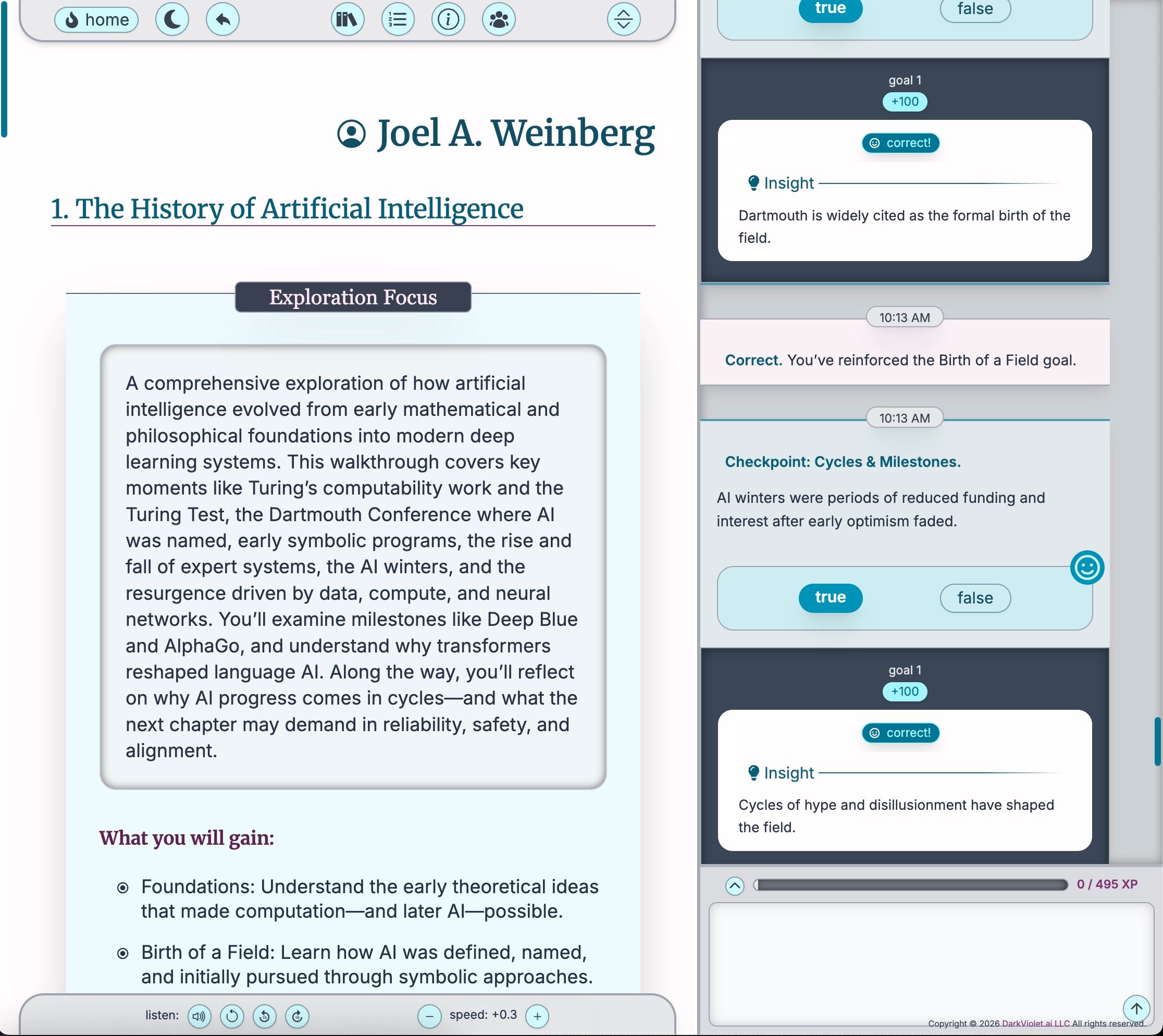
If a Resource is the whole bookshelf, an Exploration is the book you pull down to get your hands dirty. It takes a focused section and turns it into an immersive, interactive journey with multiple parts, clear learning goals, and interactive checkpoints woven right into the flow.
The layout tells you everything about the philosophy. On a desktop, the left panel carries the content and the checkpoints, the what. The right panel carries the interaction, the how. Explorations are also nonlinear. You do not have to move through them in order. If you already know the basics, skip to the part that interests you. The platform gives you the map and the keys, and you do the driving.
Every Exploration has a points target, an XP threshold that marks it complete. The target is calibrated to represent real participation rather than a quick skim, and a progress bar shows exactly where you stand. If you stop early, your progress saves automatically. Come back a day or a week later and your XP is exactly where you left it. There is no ground to lose, only ground to gain.
The Interaction Panel
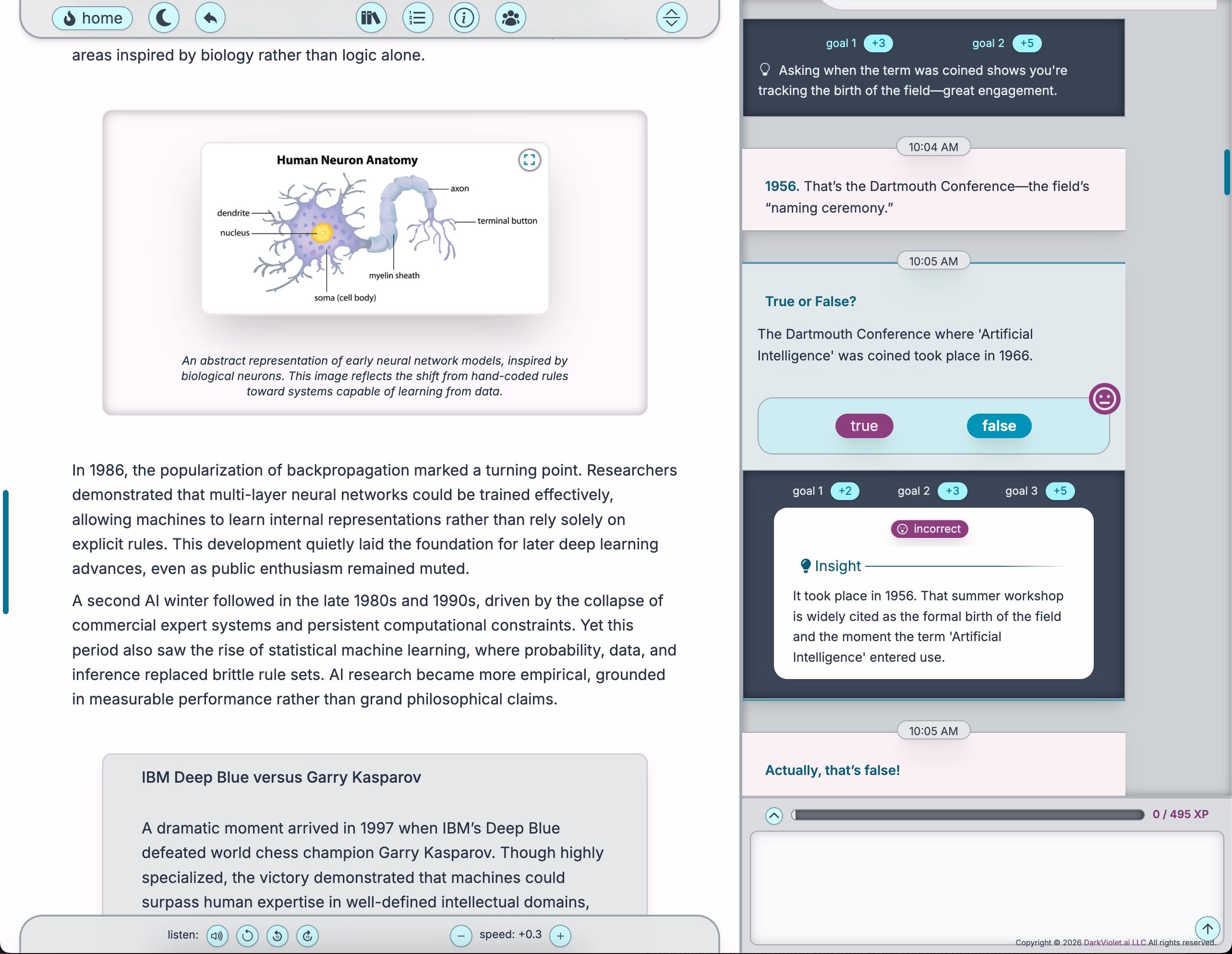
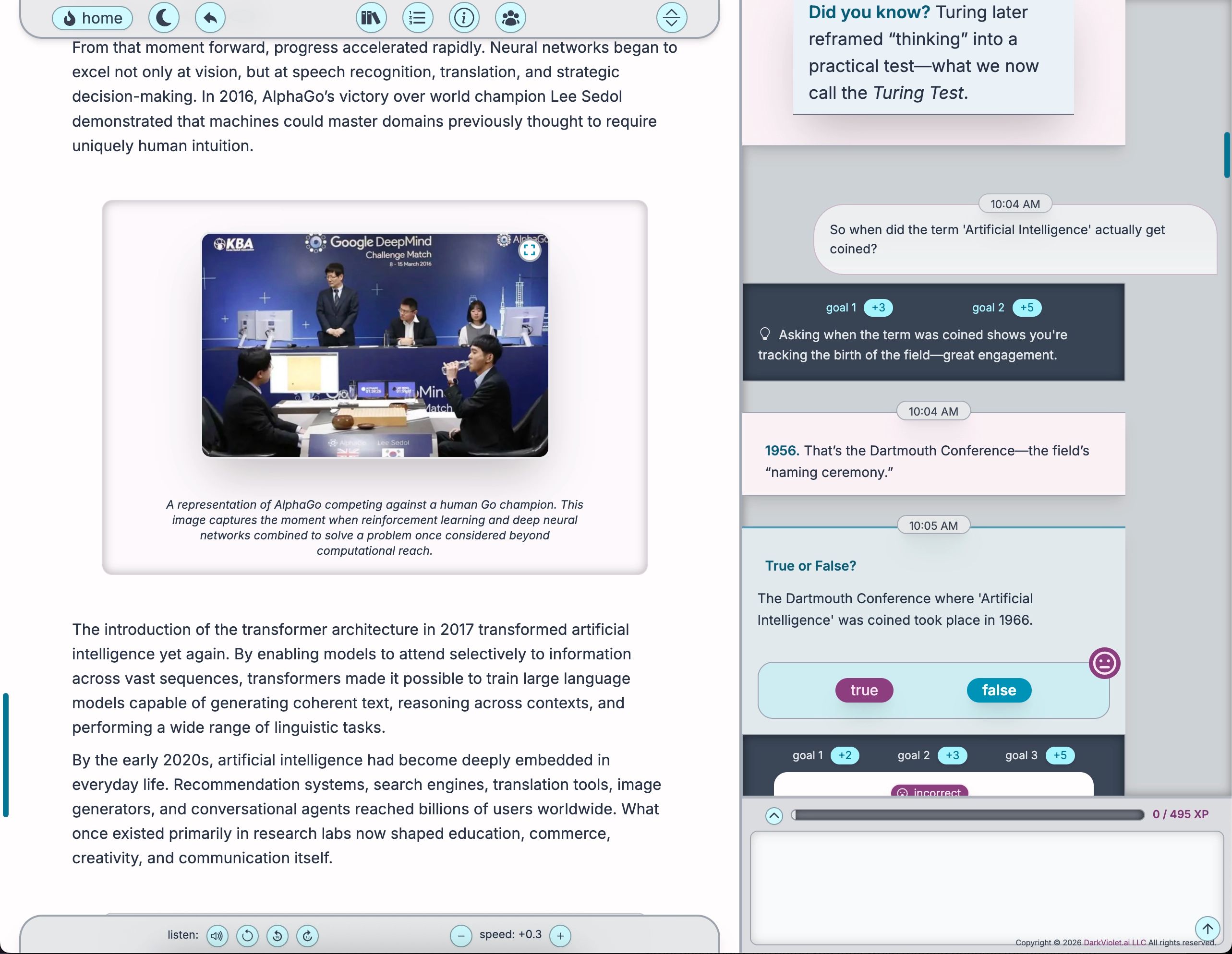
The right-hand panel is where an Exploration stays alive. It is not a generic chatbot that knows a little about everything. It is a companion scoped to the specific Exploration in front of you. It knows the structure, the goals, and the exact language the creator used.
That grounding is the whole point. When you ask for clarification, the answer is not a random summary pulled from the open internet. It is an explanation built on the examples and framing the creator already set up. You can ask for a concept in different words, which is one of the best ways to learn, because the second framing is often the one that finally clicks. You can ask how a new section connects to something you read ten minutes ago. You can even ask for the next checkpoint whenever you feel ready to be tested.
It closes the oldest gap in reading: the distance between having a question and finding an answer. In a traditional book, a question you hit on page forty just sits there, and the small crack in your understanding widens as the material builds on top of it. Here the tool to resolve it is right there on the screen, in the flow of your reading.
Micro-Explorations: Doom Scrolling for Good
Not every moment calls for a deep dive. Sometimes you have four minutes while you wait for a coffee. Micro-Explorations are built for exactly that. They take the swiping habit we all already have and point it at knowledge. Lumi Forge calls this Doom Scrolling for Good.
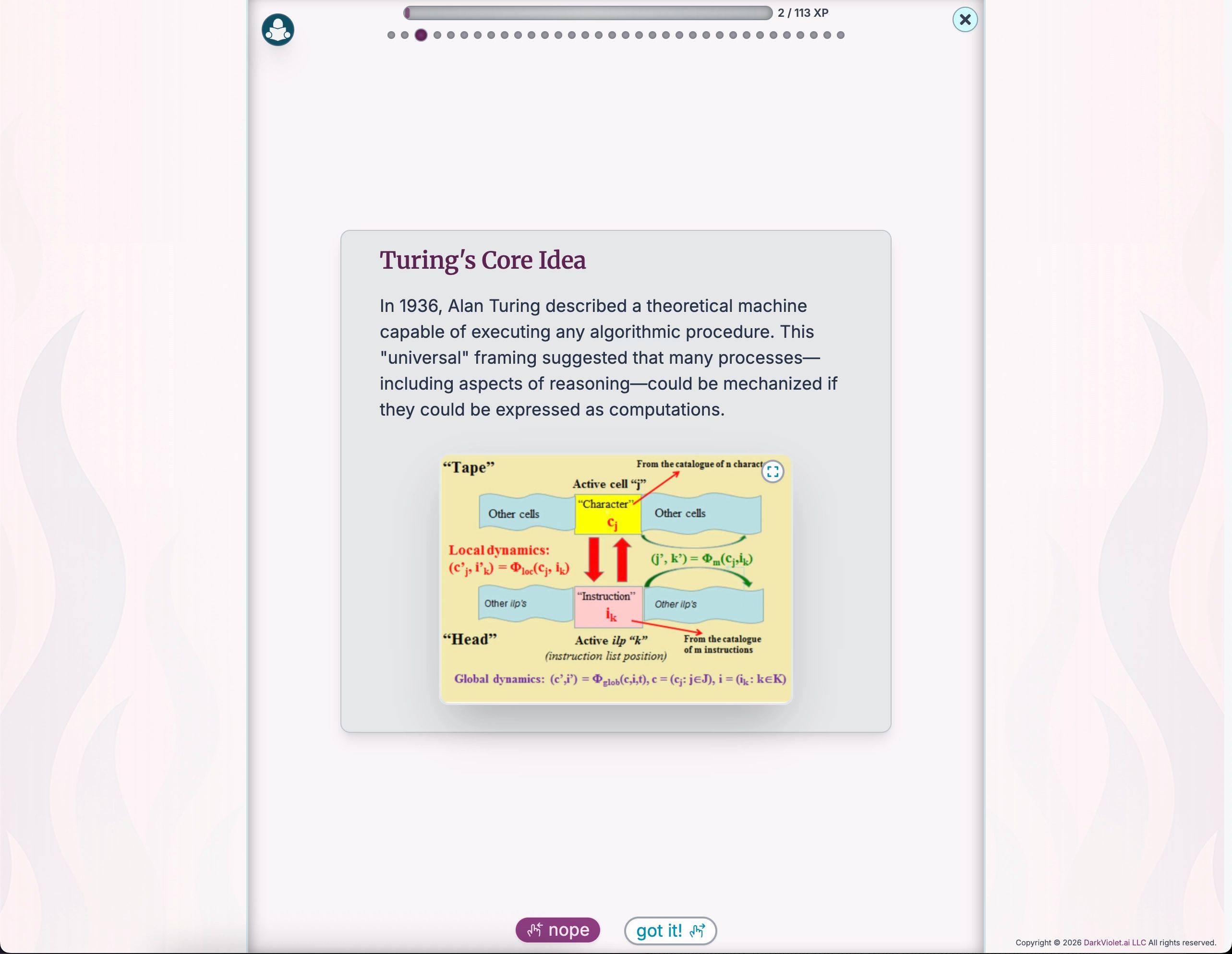
A session is a tight feed of full-screen cards with a clear arc. It opens with a sense of purpose, then moves through two kinds of frames. On an Exploration frame, you absorb a concept and swipe right if it landed or left if you want to see it again. On a Lumination frame, you have to demonstrate understanding, and an explanation frame gives you feedback right then and there. That tight coupling of question and answer is what makes it fast and effective.
Then comes the part I find most satisfying. If you missed a question or swiped left on a concept, the session does not just end. It enters a review phase that brings back only the cards you stumbled on. This is the spacing effect at work: seeing something again after a short gap makes the connection much stronger. You spend your energy only on what needs reinforcement, and by the final stats screen, you have actually done the work to make it stick.
Luminations: The Six Atoms of Insight
Luminations are the foundational units of the whole ecosystem. The name fits, because their job is to illuminate, to take a moment that might otherwise pass through your awareness and turn it into genuine engagement. A Lumination is a flexible container that can hold a piece of information or a question, and it behaves differently depending on where it appears. In an Exploration it is a checkpoint. In a Micro-Exploration it is the content itself. In a game it becomes the challenge.
There are six types, and each does a different kind of cognitive work:
- Information delivers pure content, a concept or an image, to set the stage.
- Multiple Choice tests recognition, asking you to tell the right answer apart from plausible distractors.
- True/False handles rapid checks and confronts the zombie ideas that feel true but are not.
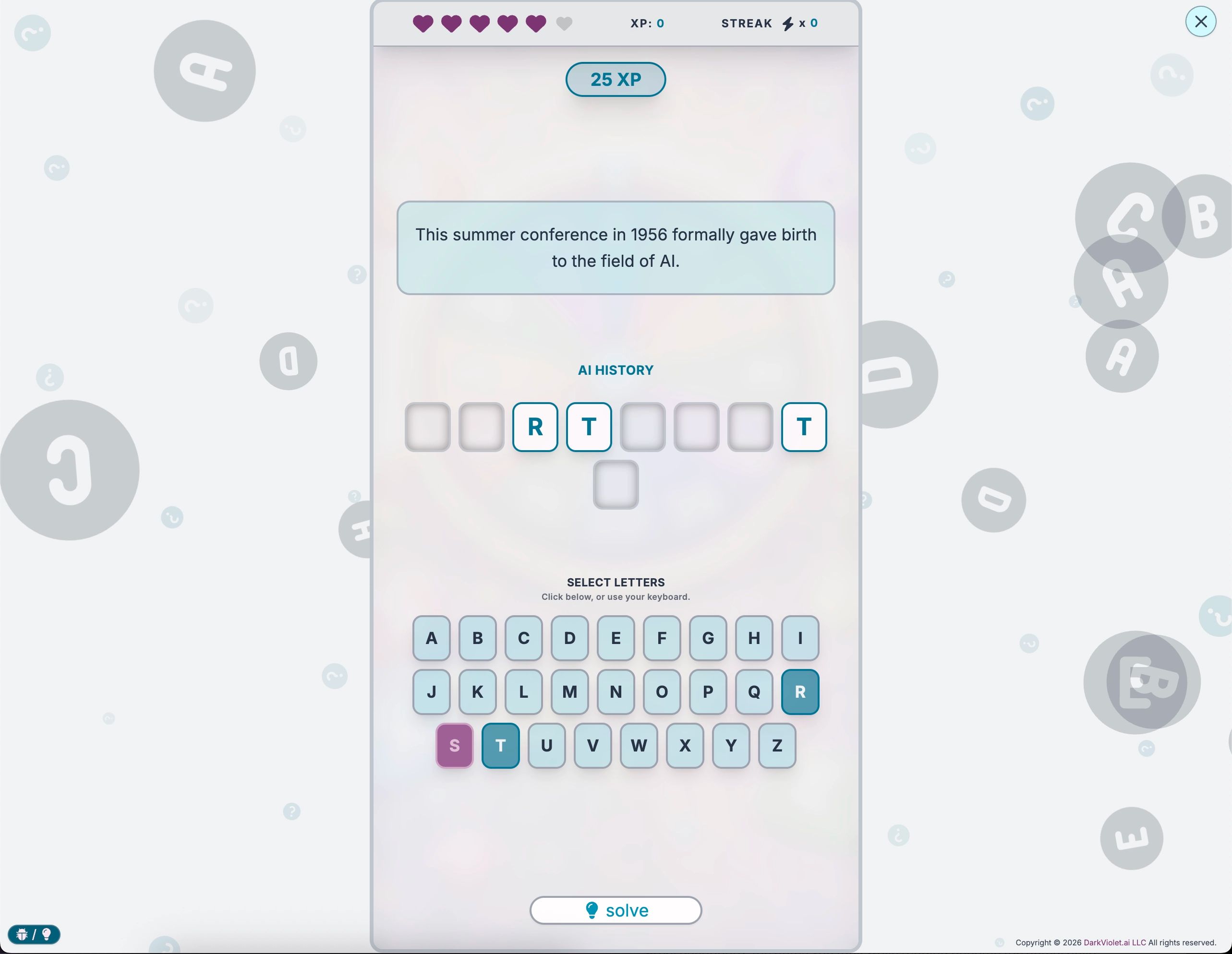
- Fill in the Blank forces retrieval, pulling a term from memory rather than recognizing it on a list.
- Short Answer asks you to explain an idea in your own words, one of the most reliable signs of real understanding.
- Reflection is the most open-ended, inviting you to connect an idea to your own life with no single correct answer.
The first two map cleanly onto correctness. The rest do not, and that is by design. For short answer, fill in the blank, and reflection, the platform's AI evaluates your response against the learning goals, looking for evidence of genuine engagement and progress. A thoughtful, honest answer earns meaningful credit even when it is not the most polished one possible. The system rewards grappling with the concept.
The Knowledge Games
Here is one of the most elegant decisions in the whole design. Every Lumination a creator builds automatically becomes game content. There is no separate authoring step and no extra work. The same checkpoints that built understanding get replayed in a format that is fast, engaging, and genuinely worth doing. Each question type maps to a specific game.
- Thumbs takes true/false questions and turns them into a time-pressured race, because when you really know something, you know it instantly.
- Think Fast uses multiple choice, but the wrong answers fade over time. Lock in the right one immediately for maximum XP.
- Letter by Letter rebuilds fill-in-the-blank terms one letter at a time, a word puzzle that rewards retrieval.
- Synthesis asks you to explain a short-answer concept while a stability meter drops, testing fluency under pressure.
- The Prism is the contemplative one, a reflective writing experience with no timer, because reflection needs room to breathe.
All five share a common soul. They use XP, streaks, and lives to keep you engaged, they are built for the small gaps in a mobile day, and they never forget they are educational. Every wrong answer comes with immediate feedback. The games are the creator's content approached from a fresh angle, which keeps Explorers coming back to play with the ideas until they become second nature.
Experience Points and Productive Struggle
XP on Lumi Forge is not a grade or a verdict. It does not sort Explorers into those who understand and those who do not. It is trying to give you an honest, running picture of how engaged you have been with the material in front of you. Your XP total is a mirror, and what it reflects is honesty rather than intelligence or reading speed.
That is why a wrong answer never locks you out or imposes a harsh penalty. You see the feedback, you engage with why the correct answer holds up, and you move forward with more understanding than you had a moment ago. The system treats that moment of correction as a valuable part of learning, because comprehension happens in the grappling, not in the memorizing.
The Micro-Exploration review phase takes this one step further. When you swipe left to flag a card, you are signaling that you want to see it again, and the system credits you with XP when that card returns. It is literally rewarding you for recognizing your own uncertainty. Most assessment systems punish that or ignore it. Honoring it is the behavior of someone genuinely trying to learn rather than trying to appear learned, and it runs through everything the platform does.
The Creator Studio
So far this has mostly been the Explorer's view. Now turn it around. If you are the one with the ideas, the Creator Studio is where your static work becomes something alive. It is flexible from the start, with three ways to build. You can use the self-service studio and build it yourself, hand your vision to the team for a full-service build, or take a hybrid path that combines both. The method fits the person, not the other way around.
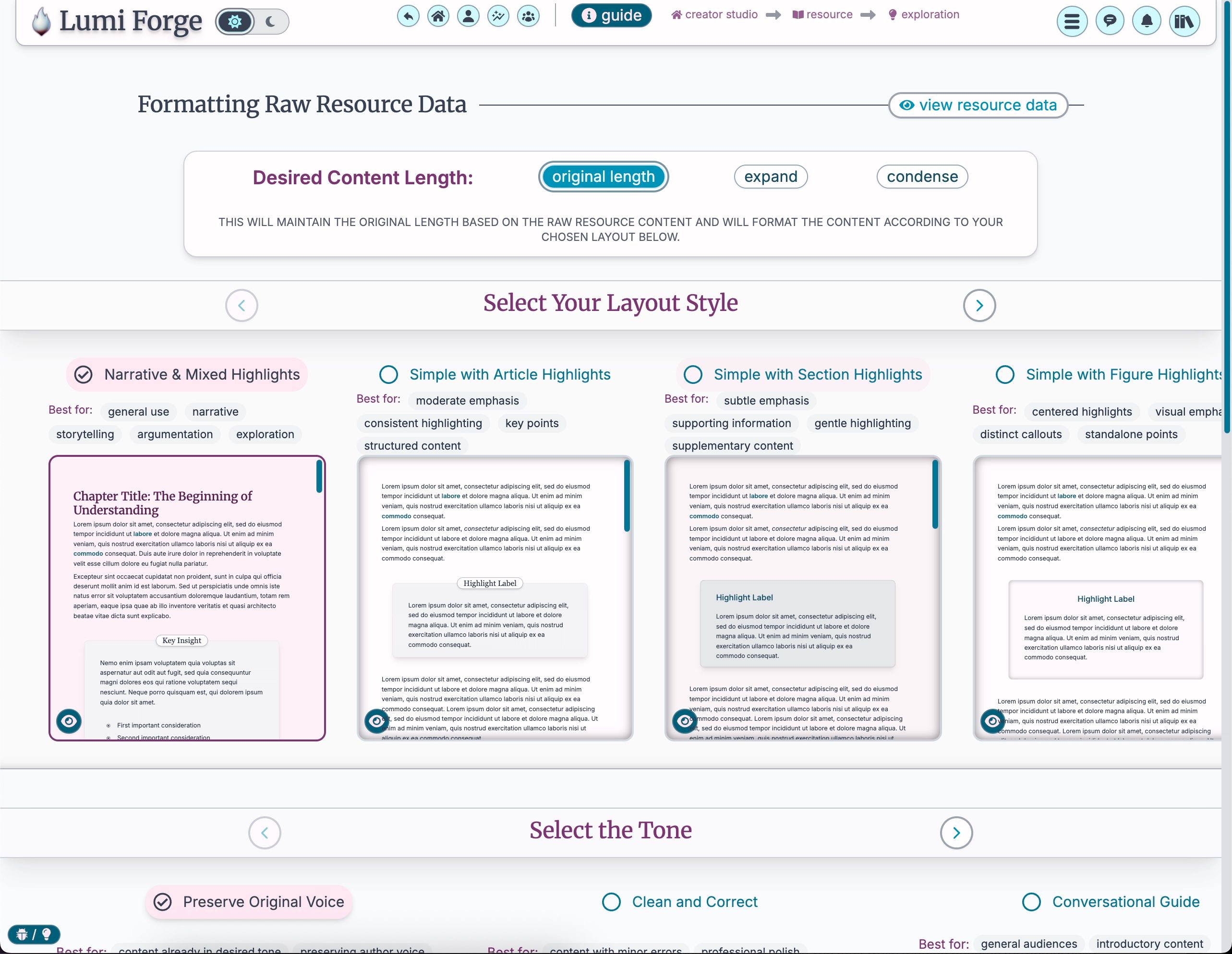
The process is remarkably simple. You create a Resource, give it a cover (your own image, an Unsplash pick, or one generated on the platform), and pour in your content. You can upload a PDF, paste text, or drop in a YouTube link and let the system grab the transcript automatically. You can even mix text and video in a single Exploration.
Then comes the transformation, and you make a few choices. You decide on length, keeping your words as written, expanding them to flesh out tricky concepts, or condensing them to make them punchier. You pick a layout pattern. You choose a voice, from your untouched original to a light editorial polish to named styles like Feynman or Socratic, which reshape how the ideas are expressed without changing what they say. From a single section, the system then produces a polished Exploration, forty-five Luminations, three Micro-Explorations, and content for all five games.
You stay the final judge. The Creator Studio editor lets you jump in, change the wording of a question, swap an image, or edit directly, with a how-to guide built right in. Most creators find they hardly need to change much, which lets them spend their energy on the ideas while the platform handles the technical plumbing of making it look and work great.
The User Journal
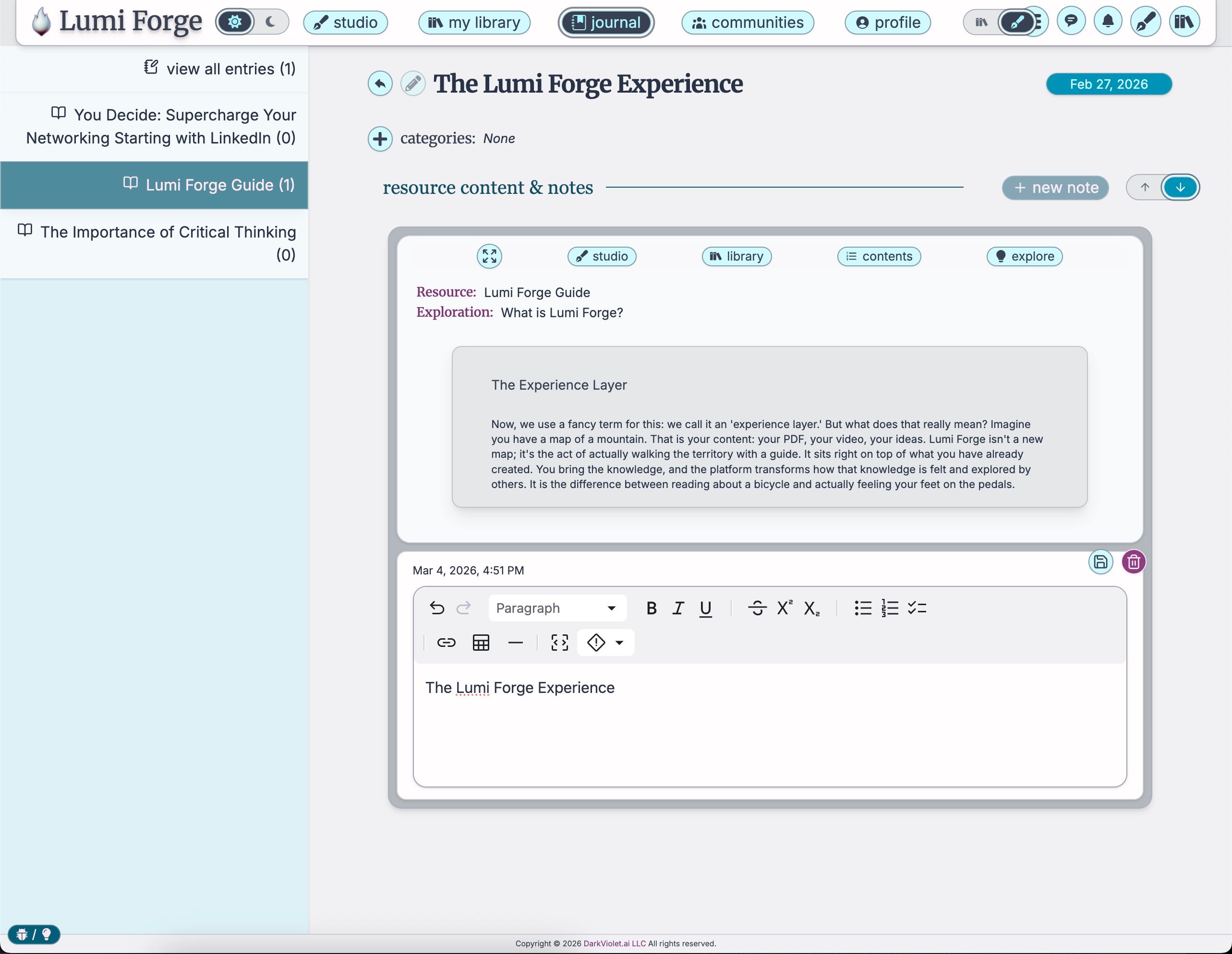
There is a funny idea people have about notes, that a note is just a transcript of your thinking. But if you watch how someone actually figures something out, the notes are not a record of the thinking. They are the thinking. The User Journal is built around that truth.
When you select text inside any Resource or Exploration, an overlay appears immediately, without dragging you to a new page. You are doing more than copying and pasting. You are creating a permanent digital anchor. The system captures the selected text and its exact source, which Exploration, which part, which Resource, so you can always trace a synthesized thought back to where it came from. You can write down why it matters while the thought is hot, then keep exploring or jump straight to the journal.
The journal dashboard is a real synthesis workspace, not a junk drawer of saved clips. It supports full Markdown, so your own notes can be as well-structured as the material you are studying, and because every capture keeps its link to the source, the journal becomes a personal web of knowledge sitting on top of the library. For creators it doubles as a drafting table. You can collect statistics, structural ideas, and raw inspiration into an ideas folder for your next work, with the attribution baked in, so the gap between consuming and building nearly disappears.
Communities
Knowledge-building has always been a social act. Even reading alone under a lamp, you are having a silent conversation with the mind of the author. The trouble with most digital platforms is that this stays a one-way street. The questions bubbling up in your head have nowhere to go, so they fizzle out.
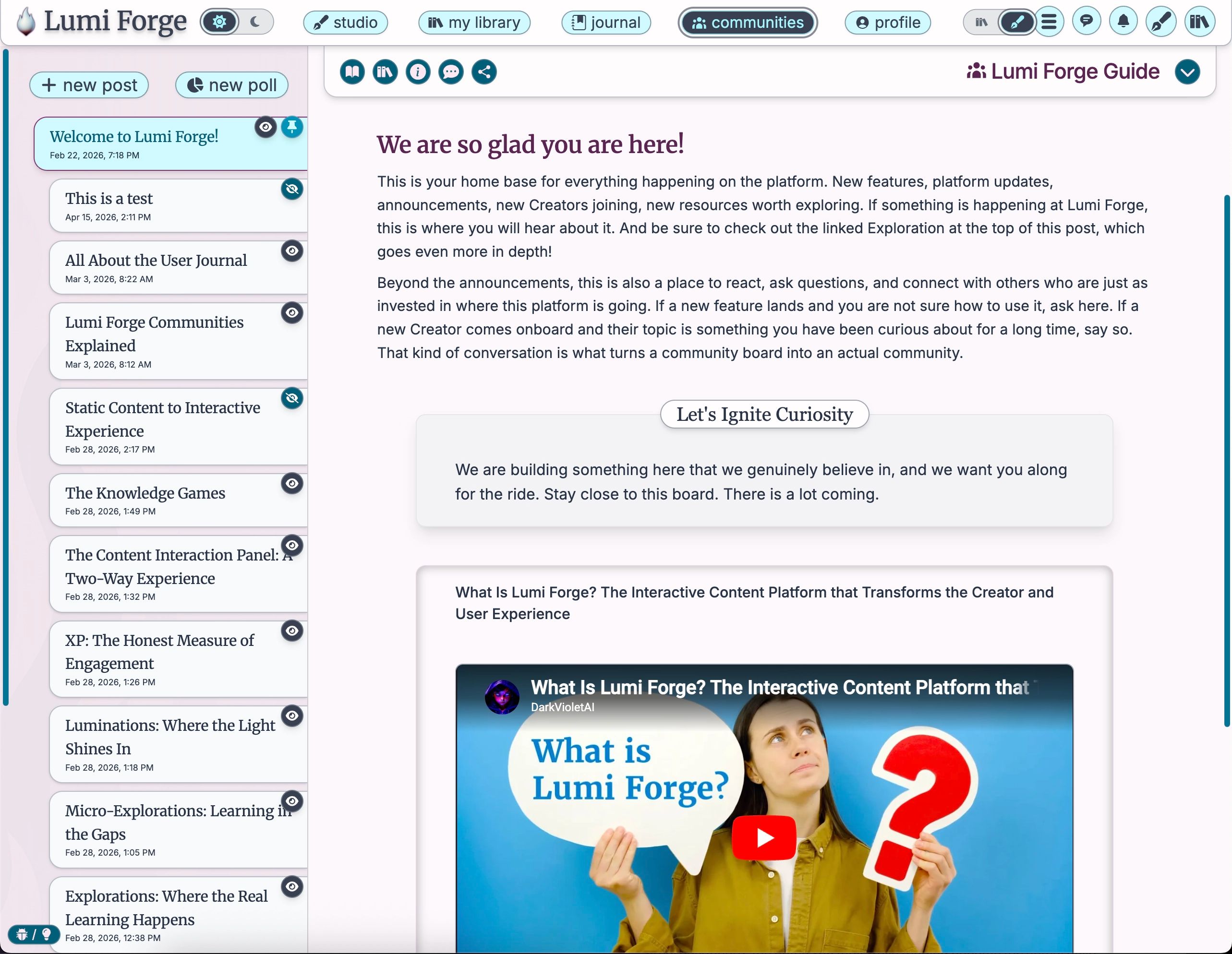
Every Resource on Lumi Forge has its own dedicated community board, which turns a solitary experience into a shared one. For creators, it is a place to host rather than just upload. They can post updates, share the context that did not make the final cut, run polls to see what is confusing people, pin the most important discussions, and link a post directly to a specific Exploration so the conversation is always grounded in the actual material.
For Explorers, it is an invitation to stop sitting still. Threaded replies allow deep, nuanced conversation without the noise of a generic comment section. You can see what others are struggling with, which is often the best way to realize you are not the only one who is confused, test your own understanding, and ask the questions that turn out to matter most. The board is a first-class part of the ecosystem, not a feature bolted on at the bottom of a page.
Where It Works Best
Lumi Forge is built for anyone whose content deserves more than a skim. Independent creators and authors use it to turn a book or a body of work into something people actually finish. Course creators and educators use it to build interactive lessons, assessments, and review games from material they already have. Teams and organizations use it for training and internal knowledge, where the difference between delivering information and building understanding has real stakes.
What ties those together is the same architecture. A creator pours in source material once, and the platform produces the Explorations, Micro-Explorations, assessments, and games that make it stick, along with analytics that show where people stayed engaged and where they got lost. That feedback is worth more than clicks or views, because it tells a creator about impact rather than reach, and it turns the act of creating into a loop that helps them grow alongside their Explorers.
Underneath all of it is a simple promise. Creators keep full ownership of their work, and the AI is never trained on their content. The relationship is a partnership, because the goal is to amplify a creator's voice rather than absorb it.
What Makes This Different
Most platforms run on a single model: delivery. Someone packages information, drives it over to your brain, drops it at the door, and the transaction is considered complete. The assumption baked into that model is that exposure to information is the same thing as understanding it. We all know from experience that it is not. Lumi Forge is built to close that gap.
It does that by treating the format as an active ingredient rather than a neutral container. Change how knowledge is structured and how you interact with it, and you change whether the ideas actually land. That is why the platform is organized around exploration, productive struggle, and engagement that the system honestly rewards, all the way down to the smallest Lumination.
The larger aim is what the platform calls a curiosity renaissance, a version of social technology where engagement means growth and people connect over genuine discovery rather than outrage and distraction. No single feature gets you there. A coherent system, built from the ground up around how people actually learn, has a real shot.
Getting Started
If you are new and want to feel how the platform works before committing to anything, the Be an Explorer section lets you play with sample content without pressure. From there, browse the library by title, creator, or topic, and add whatever makes you curious to your library.
When you open something, match the mode to your moment. Choose a full Exploration when you want to sit with complexity and follow a thread as far as it goes, and lean on the interaction panel whenever a concept does not land. Choose a Micro-Exploration when you have fragmented time or want to revisit something you have already explored. Use the games when you want reinforcement that feels like a reward.
And if you are a creator, start by pouring in one piece of work you care about and letting the Creator Studio transform a single section. Seeing your own static words turn into a living, interactive experience is the fastest way to understand what the platform is really for. Then refine, publish, and open the conversation with the people exploring it.